Cookies and external content
With your consent, we use analytics and external content. More in our Cookie Policy and Privacy Policy.
A mobile app for your agents: tasks, contacts, property entry with photos and publishing to portals in a few taps, straight from the field.
Download the app
The app brings the most important parts of EstateIQ to the agent's phone.
Your open offers, tasks, contract alerts and links to client requirements on one screen.
The agency’s list of properties and a separate list of your own properties, with search and filters.
You turn an intake task into an offer, and the entry stays saved on the device until you complete it.
Up to thirty photos from the camera or the gallery, and the upload continues in the background.
The current location, address search and a map for the public coordinate.
Intakes and viewings in one list, and you close a viewing with a photo of the signed confirmation.
Client search, a call or an email with one tap, and contact entry.
The properties that match your client requirements, new and already presented.
The description is created from the entered data, and translated into English with one tap. You can also share the offer as a PDF.
When a property is ready, you send it to your agency’s portals in a few taps.
When the agent receives a new viewing order, when a property is added to an order and when a client has not been contacted within four hours.
Biometric login and an interface in Croatian, English, German, Italian and Slovenian.
You can send a property entered in the field to your agency’s portals straight from your phone, without going back to the office. Before sending, the app checks that the owner, address, description and at least five photos are in place.
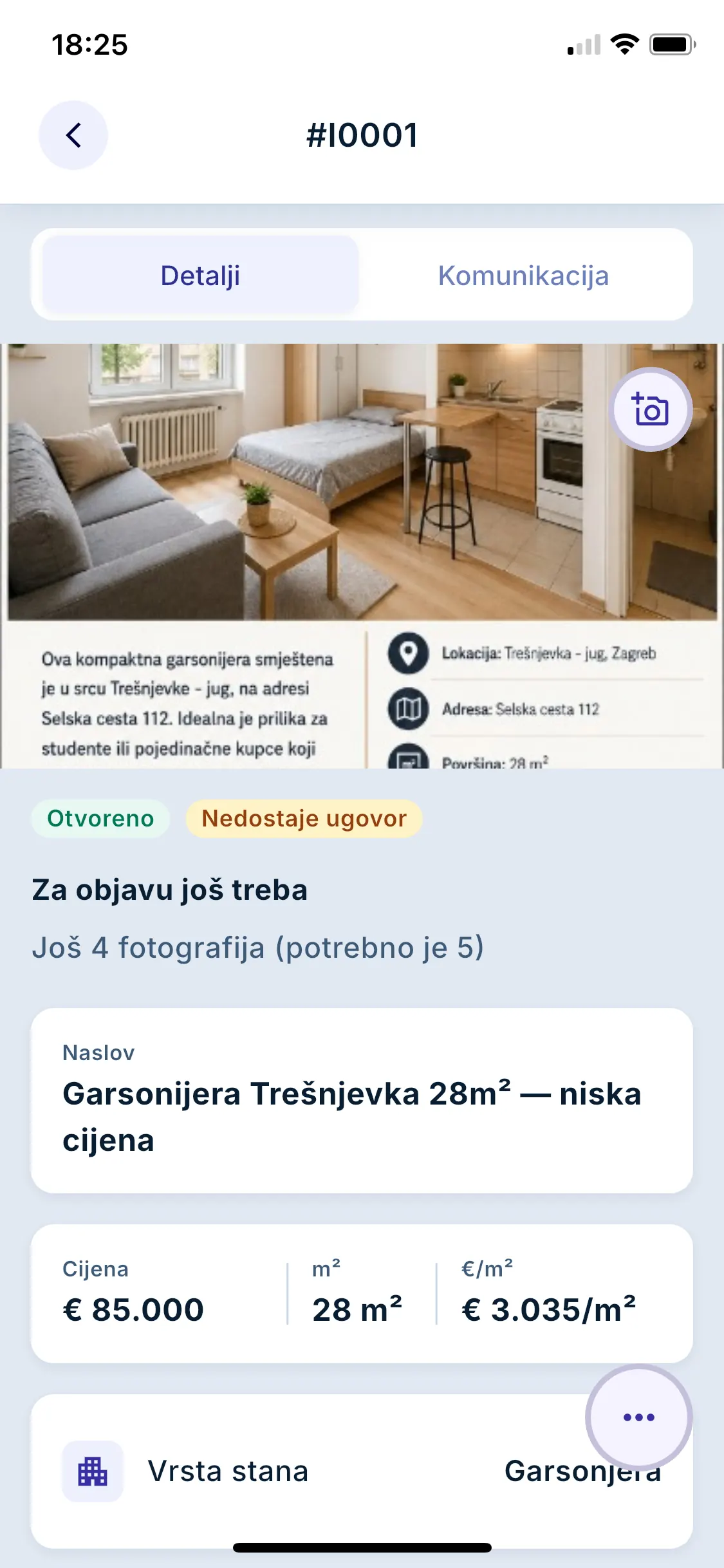
On the property details screen, the app shows what is still missing for publishing.
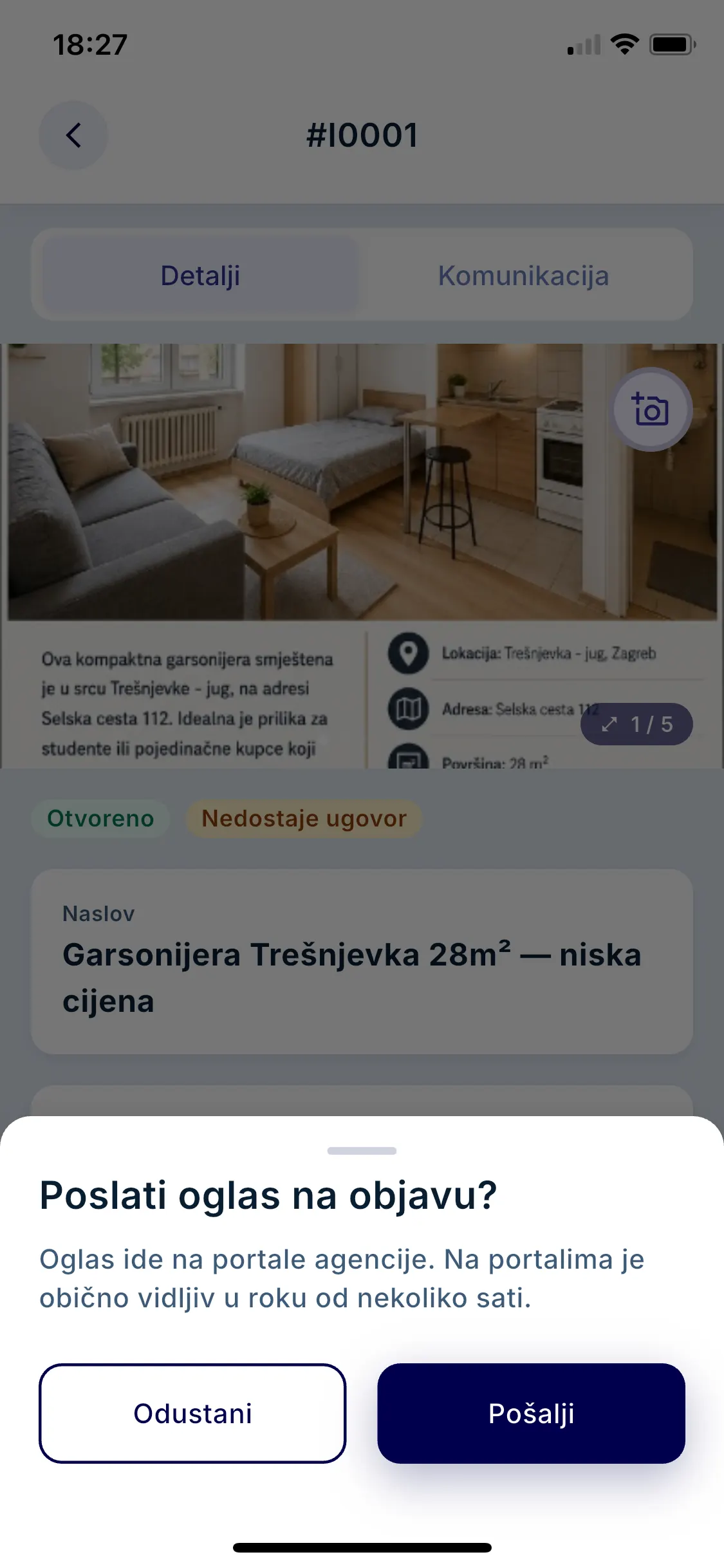
With one confirmation, the listing goes to the portals enabled for your agency.
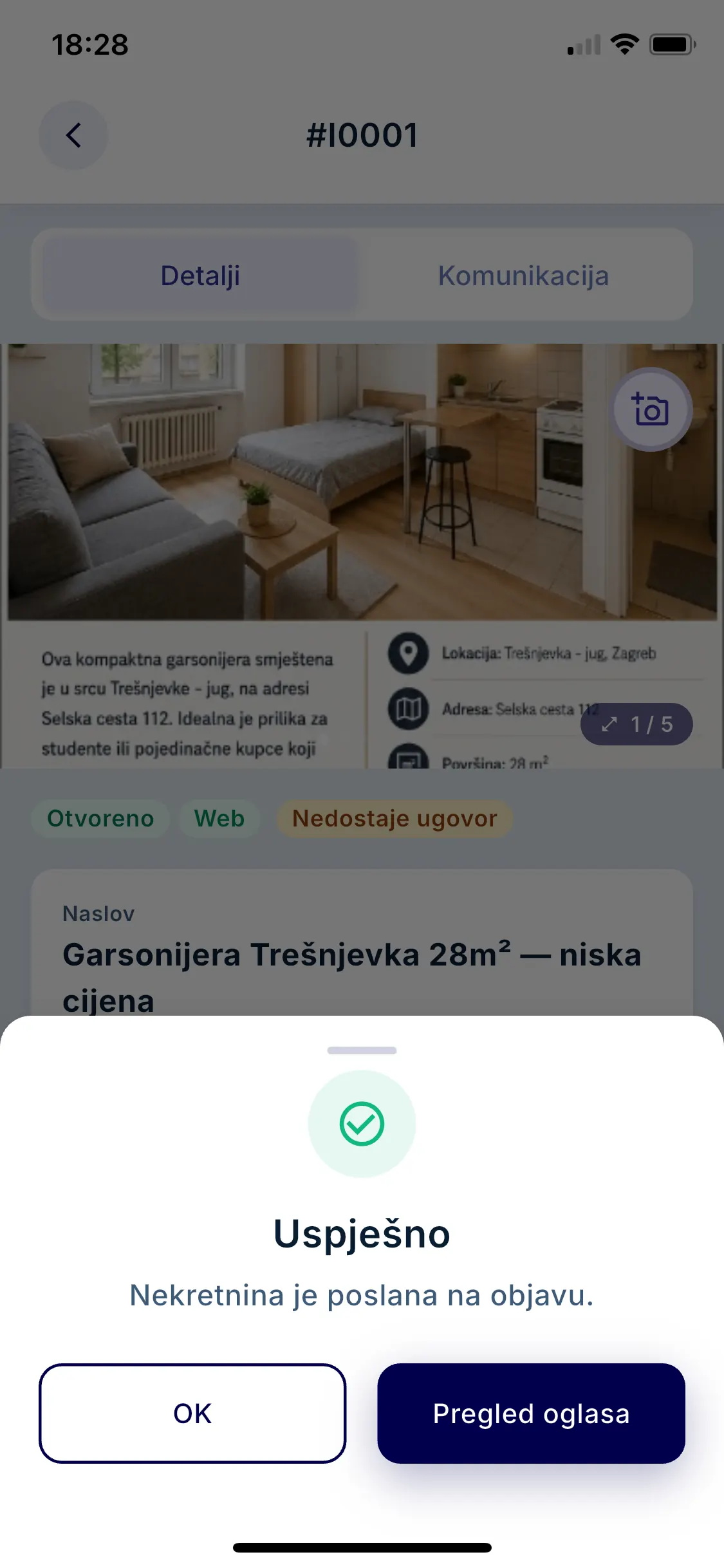
The app tells you that the property has been sent for publishing.
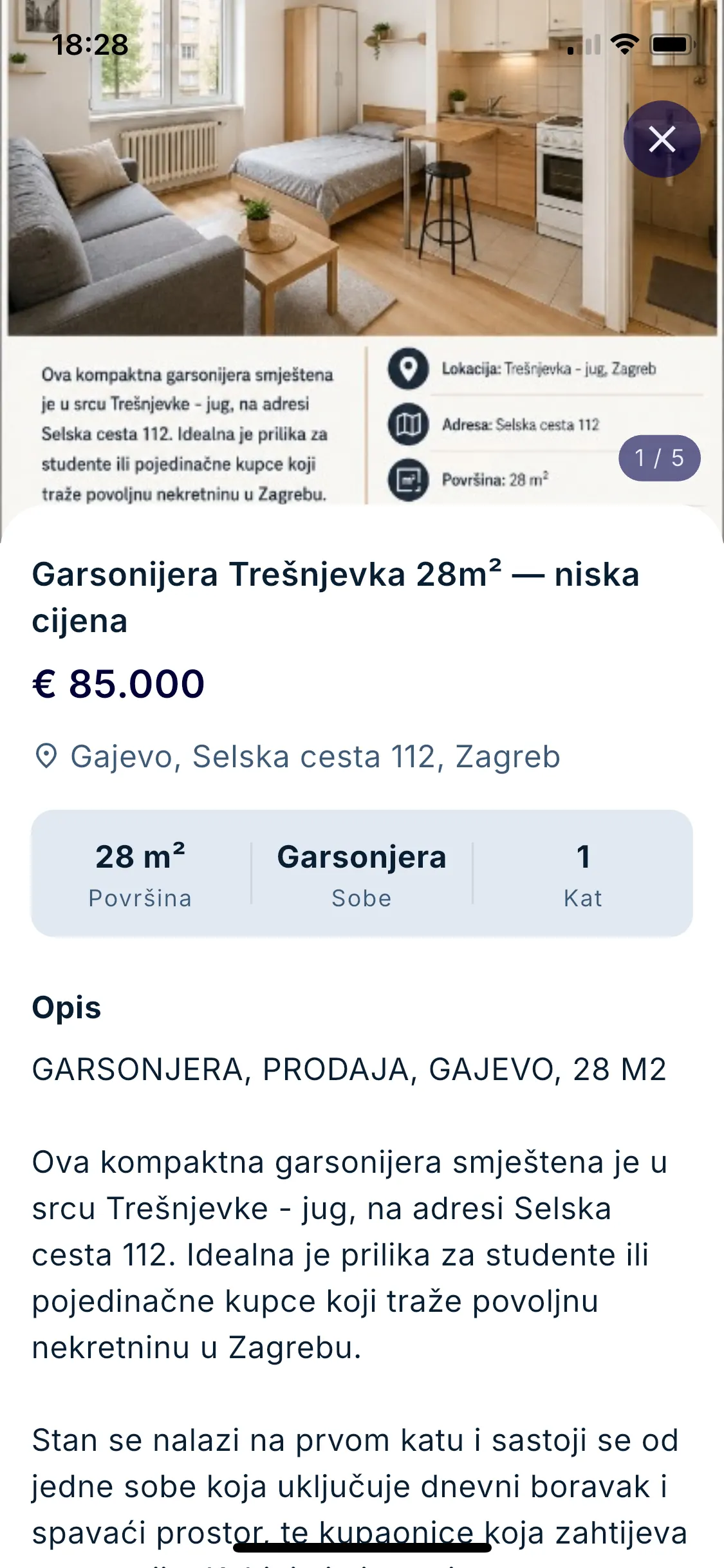
Open the preview with the photos, price and description straight away.
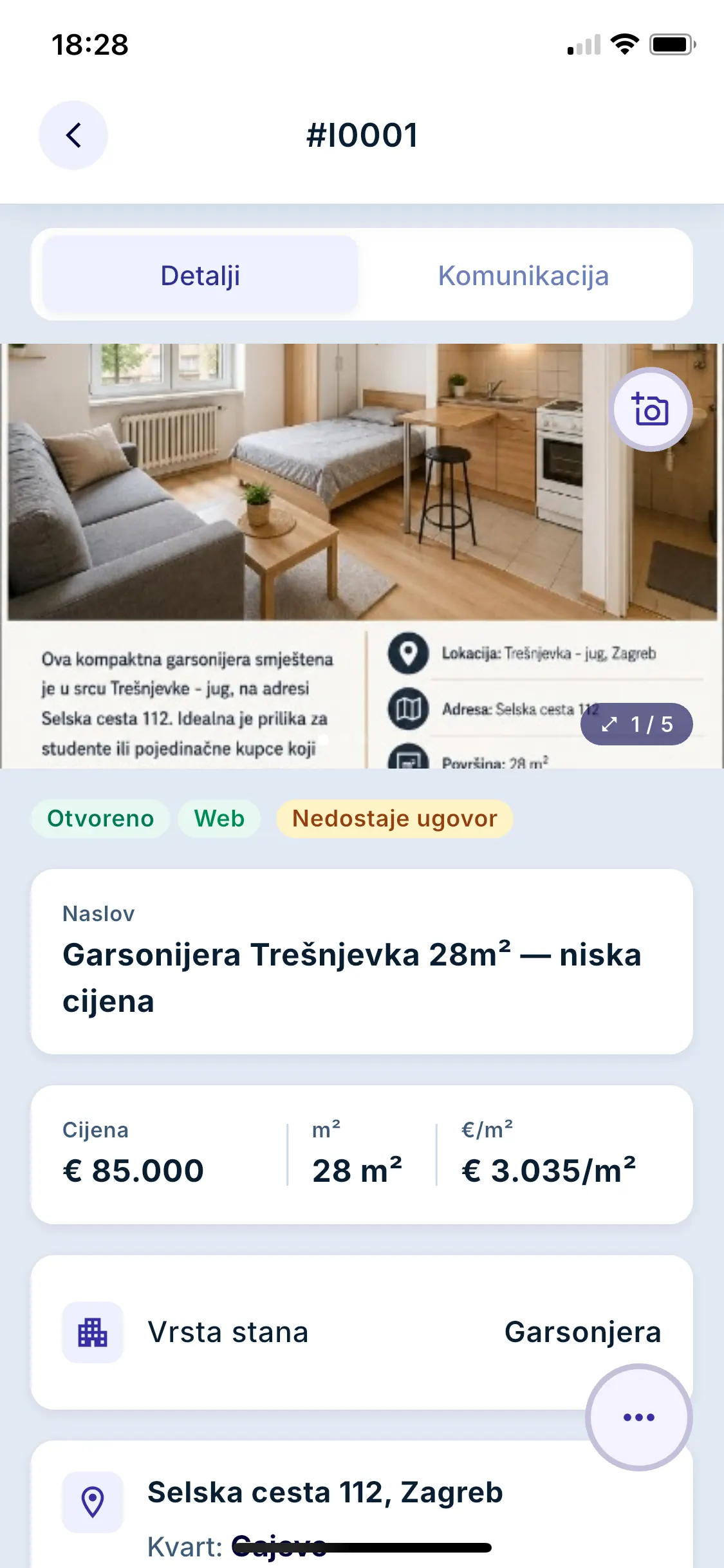
The Web tag appears on the property, so both you and the office can see that it has been sent for publishing.
The app is not a separate system but a part of EstateIQ: the agent in the field and the office work with the same data.
The agent receives a notification on their phone when a new viewing order is opened for them, when a property is added to an order and when a client has not been contacted within four hours.
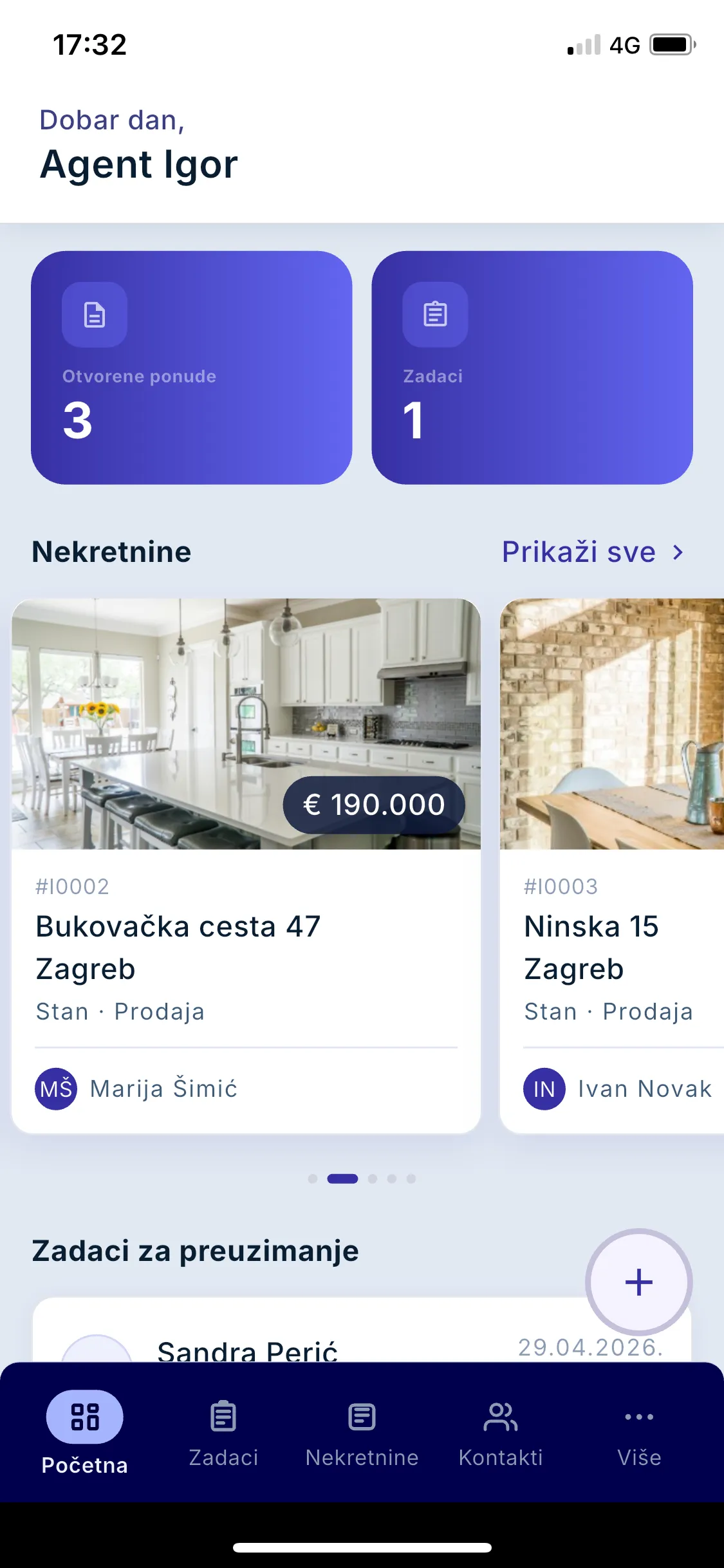
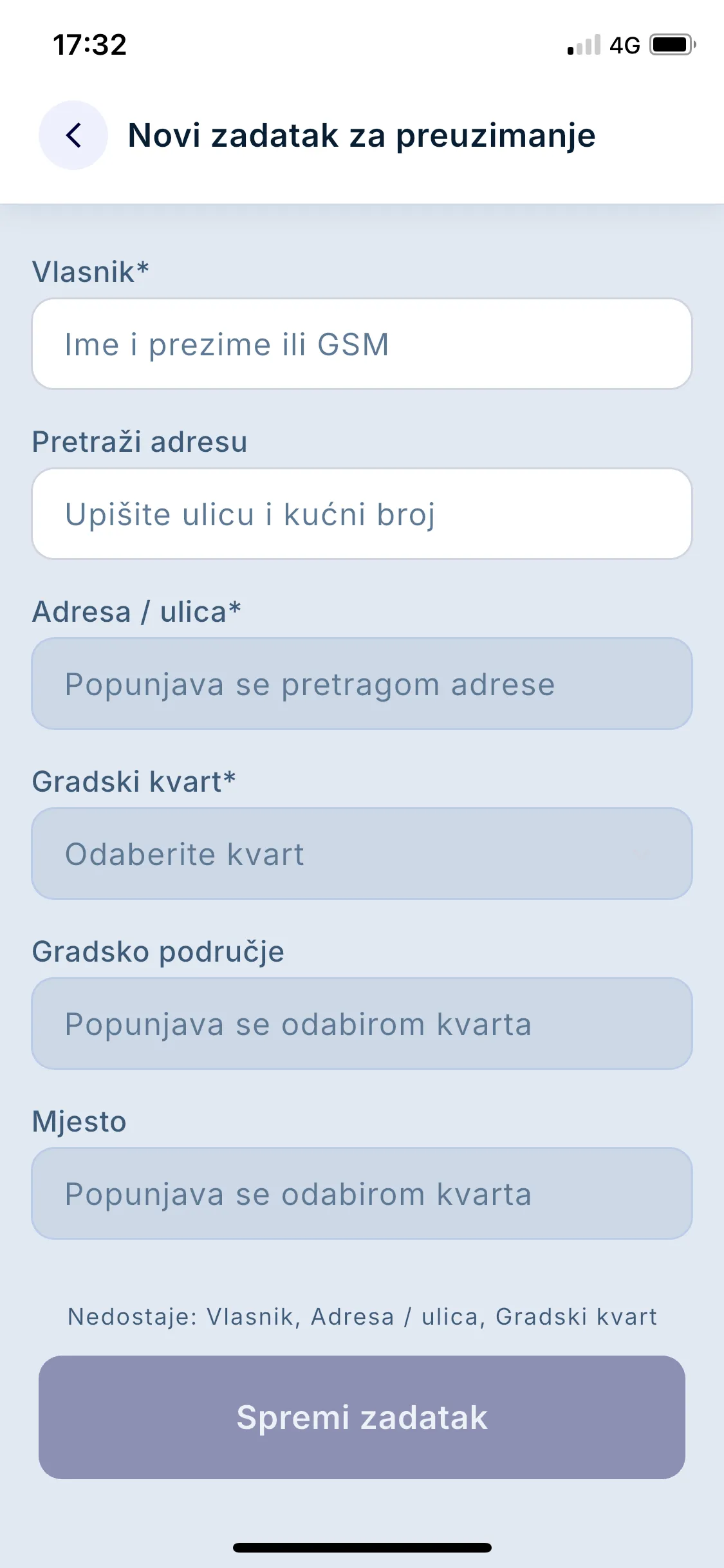
The app is meant for agents who spend much of the day away from the office: at viewings, property intakes and meetings with clients.
When a client at a viewing asks about another property, or an agent needs to check a client requirement, the agent opens the data on the phone, without going back to the office.
The agency owner does not maintain separate data for mobile phones: the agency enters properties, clients and client requirements in EstateIQ, and the agents see them in the app as well.
The app is available for Android on Google Play and for iPhone on the App Store. Links to both stores are at the top of this page.
No. The mobile app for agents is included in all EstateIQ plans. See the Pricing page for the plan prices.
Yes. The app shows the properties, clients, client requirements and orders from your agency's EstateIQ, so you do not enter them separately for the phone. Changes that the office saves in EstateIQ appear to the agent in the app.
Once your agency has opened an account in EstateIQ, the agents download the app from Google Play or the App Store and sign in to it. After signing in, they see their agency's data in EstateIQ.
Register your agency and download the app from the app store.
Try it free